How do I get Firefox back

Demon 8

New Member
Supporting Member
Joined
May 28, 2008
Messages
3,521
Reaction score
0
Location
Back in Florida
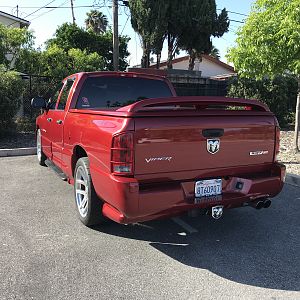
The thread with the red truck and the big wing locked my Firefox, anyone figure out how to get it back??
Thanks
 
If it is still locked up you need to terminate firefox. right click the taskbar (bottom of the screen) and open the task manager. Find the firefox.exe and end the task. :rock:
 
Looked through and Firefox.exe is NOT running in the task manager...any other ideas
 
Nope tried to open again and wont go. I am able to get on using IE but thats it
 
reboot computer . if it still doesn't work try to reinstall firefox. might have to uninstall it first
 
OH.. by the way.. where is la la land ? i have a few kids on my hockey team that go there often!!! ;) :marchmellow: :marchmellow:
 
LOL
I am in New York.
Taking care of my Gram who has Alzheimers...La La Land
 
kewl guess with all the economy crap going on, Not a bad place to visit once in a while!!!! :marchmellow: :D
 
Hmmm.... Google chrome is kinda kewl!!:dontknow: maybe time to format....:D
 
I had the same issue. I finally got it to work. Uninstall the program. Reboot computer. Download new versoin. Reinstall. PM if you got any problems.
 
If I had to guess when you previously uninstalled some of the program must have been left. IF this does not work, I can show you how to remove it from your services screen or even deeper if need be. (I am a computer technician)
 
Good to know
When I uninstalled I left the personal preferences in hopes that my favs would still be there and all would work. I will chose to delete all then restart before trying to reinstall. Thanks for the help
 
No problem that is what makes this place so great. Well all have our own specialties. Me I know nuthin' about mechanics. But give me a wire and a computer and I can run Las Vegas LOL
 

Latest posts

Support Us

Become A Supporting Member Today!

Click Here For Details

Back
Top