how do i post a pic

If you store your pictures on you computer and want to attach them as a thumbnail you scroll down under the comment box where you are making your post to where it says "manage attachments" and click on that

then you click "browse" and go to your pictures. Choose the one you want then click "upload", when it is done uploading click on "submit reply" at the end of the comment box and your post will be there with your picture attached as a thumbnail.

if you host your pictures on photobucket or image shack you gotta ask someone that knows, cuz I don't :eek:

hope this helps - give it a try :rock: :rock:
 
There are many ways to post a picture in your comments.

I personally use this site http://imageshack.us/

once the site loads, just click browse find the picture you want to use, select it, click the host it button, and after a few seconds the page will reload. scroll down to where it says hotlink for forums, copy the link and paste it in your comment, once you post the comment the pic will show up.
 
STOCKSRT10 said:
this time maybe

Right on! You did it - now practice makes perfect :rock: :D :rock:

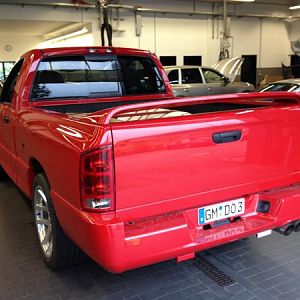
Nice ride, too :marchmellow: :marchmellow:
 
sdfksdgds testrun
 

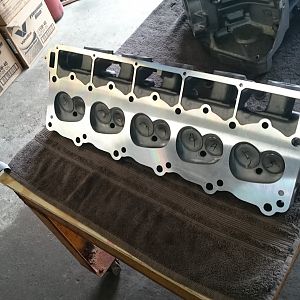
Attachments

  • SCREAMIN DEMON.jpg
    SCREAMIN DEMON.jpg
    430.9 KB · Views: 21
  • SCREAMIN DEMON 2.jpg
    SCREAMIN DEMON 2.jpg
    347 KB · Views: 22
STOCKSRT10 said:
how do i get it stay there or cant u and make it bigger
The way you can make them "bigger" and part of the actual post is to host your picture on image shack or photobucket and then you insert the link inside image tags and it will be a part of your post.

The way you are doing it now (which is how I do it) is attaching it as a thumbnail and the only way it "gets bigger" is when you click on it :)
 
STOCKSRT10 said:
thanks but how do u get them to stay like on yours

you need to put those pics in your signature click on private messages then click on edit signature but i think the pics in your sig have to be uploaded from a host like photobucket:D
 
To put a picture in your signature line you click on User CP (top left in the blue bar) and go to edit signature. However, as Dom said, the pictures have to be hosted on photobucket or image shack

here is a link to photobucket if you want to set up an account

http://photobucket.com/

Good luck, I'm to lazy to do it myself ;)
 
Welcome you fellow cheesehead!(or not). Prof will be glad to see another "tenner" in the area. I used to live west of Oshkosh, but now I am in the Denver area. Sweet lookin truck, mine is an 05 RC & BLACK! Enjoy this site, lots of info, drama, humor, etc. Sometimes a real soap opera!
 

Latest posts

Support Us

Become A Supporting Member Today!

Click Here For Details

Back
Top