uploading pictures to this site???

kickinassrt-10

Full Access Member
Joined
Mar 6, 2009
Messages
2,577
Reaction score
0
Location
Miami, Fl
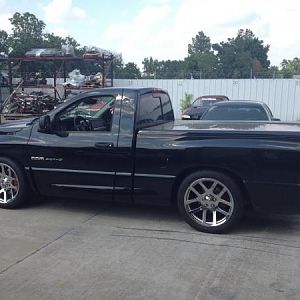
Hi guys I have been trying to put pictures on here for the last few days now...I can easily get an avatar pic but when I try to edit a picture for my truck it says your 6.2mb file exceeds the 4.9 maximum.....I have tried several times on different picture editing software (adobe, paint, quicktime) and every time the message pops up and says the same thing....I'm trying to share pictures of my ride but this uploading thing is really getting to me.....any help?? :dontknow:

 
easiest thing I do is to open up the original pic in paint. Then click on Image. Then Resize/Skew. Shrink it by putting 30% in the two boxes. Then click save as (unless you don't want the original) Then load it into PhotoBucket (what most of us use to host the images) and lastly copy the direct link from PhotoBucket (will be below image) and press the little mountain icon on the message area of quick reply, paste and post!

Can't get it post up!
 
Actually, I've found it easiest just to use an online photo hosting site, then copy/paste the ".img" link.

Easier to manage this way, IMHO.
 
You can just re save the pic with paint. No need to resize. It automatically saves them as a smaller file. All above answers work.
 
thanks for all the answers but NO luck...i tried skew/stretch in paint 30%...nothing....I uploaded to photo bucket and tried to copy a all the codes (HTML, IMG, email) and nothing....i even saved in paint and nothing...it's either my computer or this site isn't letting me post???????
 
what is the photo bucket link???? the one to the right sides with URL, HTML, IMG...or the actual link on the top web page?
 
IMG_6489.jpg
 
it works when I copy it to the IMG link and paste it in the reply box...but it won't let me post as my vehicle picture?????
 
in other words your's is set to work with every post mine I have to put in each time I post...if that helps?
 
You might want to try again...the site was NUCKINFUTS earlier and that may have been your problem. When you upload to photobucket, use the IMG code. Thats the only one that works here.
 

Latest posts

Support Us

Become A Supporting Member Today!

Click Here For Details

Back
Top